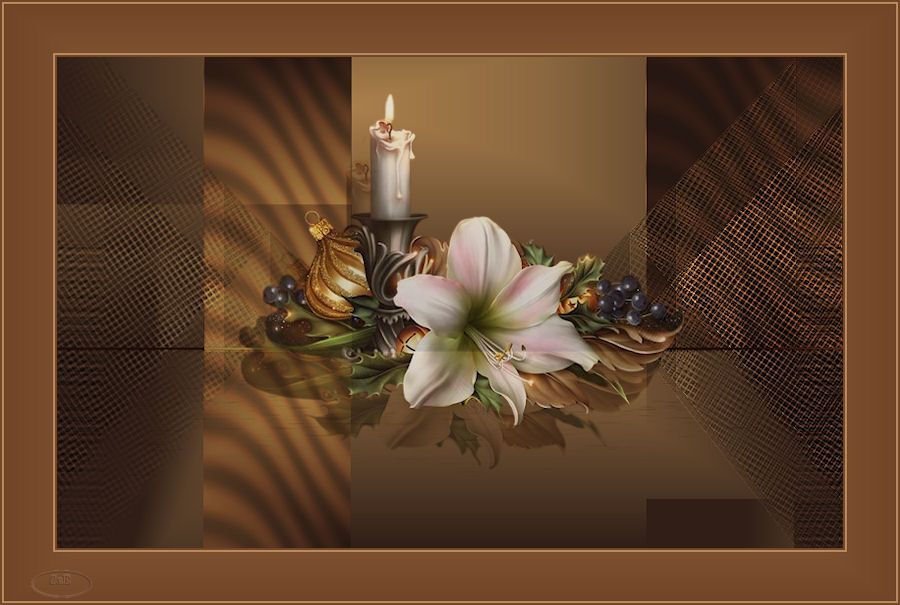
 Everything is Beauty
This Lesson is my own creation my not be forwarded. Shared or otherwise placed on any Web Site without my written permission. This Lesson was created in Corel 2020 Program ,but also can made in the Other Version. Supplies: ladywith lampe.pspimage @ ann_21712_mask126_tdstudio.jpg Narah_mask_0397.jpg ewerything.Brush.png sel04 selection sel05 selection
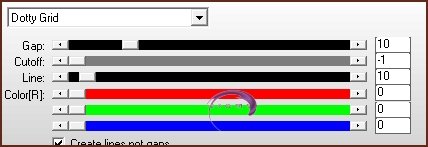
ladywith lampe.pspimage, and the two selections created by me. Plpugins: Toadis...What Are you Background Desingers 1V 4 Way Avarege AP(Lines) Lines-SilverLining.....Dotty Gird Download Supplies and extract to on your coputer then open in PSPand minimize Colors: Foreground: #c2ae96 background: 551106 Gradient 01 File..Open 900x600 Transparent image Flood Fill with Gradient 02 Adjust...Gausian Blur 15 03 Layers-Dulicate 04 Image..Mirror--Horizontal 05 Layers..Properties-Opacitty 73 06 Layers..Merge Down Effects---Image Effects..Seamless Tiling...Default 07 Layers...New Raster Layer Selections..Load-Save Selection.Load Selections From Disk sel04 selection 08 Flood Fill with 11 Layers..Properties..Soft Light 09 Effects..Plugins..Filter Unlimited ...Background Desinger1V...4WayAverage Adjust...Sharpen Edit..Repeat Sharpen 10 Effects...Edge Effects..Enhance 11 Effects..Geometric Effects..Skew 12 Effects...Distortion ..Effects...Wave Layers...Duplicate 13 Image..Mirror..Horizontal 14 Plugins..Toadis..What Are you...Default Merge Down 15 Layers..New Raster Layer Selections-Load Selection From Disk sel05.selection 16 Flood Fill with #62281a color Selections-Modify Contract...6 Edit ..Clear Select None 17 Effects...Plugins..Filters..Unlimited...Background Desinger1V...4WayAverage 18 Plugins...Toadis What Are you..Default 19 Layers..Properties..Hard Light 20 Effects..Image Effects..Seamless Tiling 21 Effects..Distortion Effects..Pinch Effects..Geometric Effects Spherize Layers Properties Hard Light 22 Layers..New Raster Layer Flood Fill with #62281a 23 Layers..New Mask Layer..Mask From Image Layers..Mege Group 24 Effects..Plugins..AP(Lining)...Dotty Gird
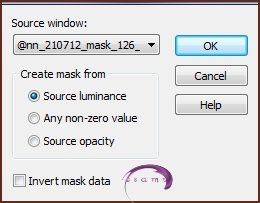
25 Layers..Duplicate Image..Mirror 26 Layers..Merge Down 27 Effects..Edge Effects..Enhance 28 Copy ..the ladywithlampe.pspimage Paste As New Layer move to the midle of image 29 Layers..Merge ALL(Flatten) 30 Add Border pix Symetric #c2a96 color Add Borders 2pix Symetric #551106 color 31 Add Border 2 pix Symetric #c2a96 color 32 32Add Borders 2pix Symetric #551106 color 33 Sellections Select ALL 34Add Border 4O pix Symetric #c2a96 color 34 Selections ..Invert 35 Layers ..Promote Background Layer 36 Layers..New Raster Layrer 37 Flood Fill with #551106 color 38 Layers..New Mask Layer Mask From Image 39
Layers..Merge Group 40 Selections..Invert 41 Effects..3D Effects Drop Shadow
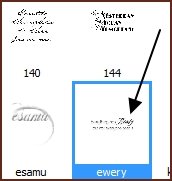
42 Edit..Repeat Drop Shadow 43 Selections..Select None 44 Add Borders 2pix Symetric #551106 color 45 Add Borders 2 pix Symetric #c2a96 color 46 Add Borders 2pix Symetric #551106 color 47 Add Borders 2 pix Symetric #c2a96 color 48 Layers New Raster Layer 49 Paint Brush Tool 50
51 #c2a96 color Place it up to the Left Corner 52 Adjust..Sharpnes..Sharpen 53 New Raster Layer Add your name Image..Resize 900 Pixel File..Export JPEG Optimizer Etelka 2025 All Right ReservedDesigned and Maintained by Etelka
|