Colours I used
Foreground # 907b8e
Background# 4a2642
colour3#d0cad6
Preparation
Download the materials, open in PSP ..Window Duplicate, minimize, close the original.
1.Step
Set your foreground color to # 907b8e
Set your background color to # 4a2642
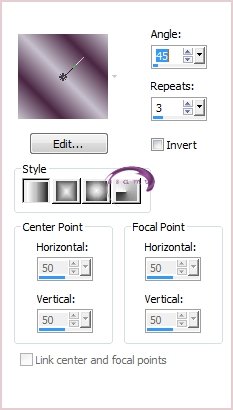
Gradient
Angle 45
Repeats 3
Linear
Maximize the lilaalpha.pspimage
Flood fill with Gradient
Adjust…Blur…Gaussian blur 35
2.Step
Layers:New Raster Layer
Flood fill with colour3#d0cad6
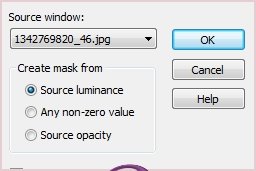
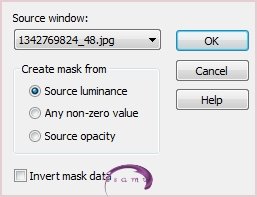
Layers:New Mask Layer:From Image
Layers Merge Group
Effects:Edge Effects.Enhance
3.Step
Layers:New Raster Layer
Flood fill with #d0cad6
Layers:New Mask Layer:From Image
Effects:Edge Effects:User Defined 3Emboss_3
5.Step
Layers:New Raster Layer
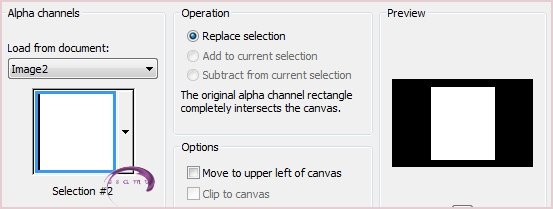
Selections:Load/Save Selection:Load Selection From Alpha Channel
Flood Fill with #d0cad6 color
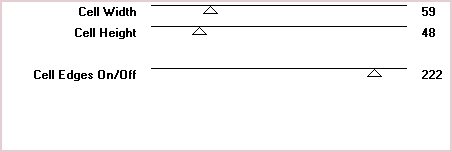
Effects Effects:Texture GirdSelections…Modify…Contract 25
Selections:Modify:Contract 25
Layers New Raster Layer
Flood fill with #907b8e color
Maximize the0_b8fcb_a81db1ec_orig.png image
Edit:Copy:Paste Into Selection
Effects 3D Effects:Drop Shadow
Selections:Select None
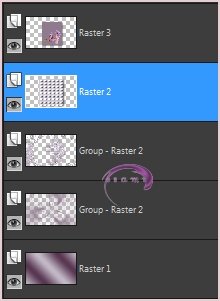
Activate the Raster 2
Repeat the Drop Shadow, same settings
Merge Down Raster 3 and Raster2
6.Step
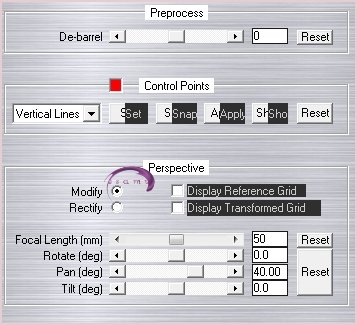
Effects:Plugins MV's Plugins – Perspective Transformations
Image:Resize 90% All Layers not checked
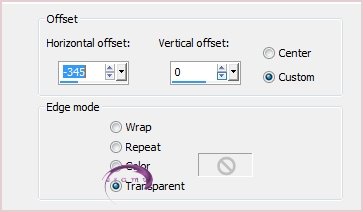
Effects:Image Effects:Offset Horizonta –345.Vertical :0