|
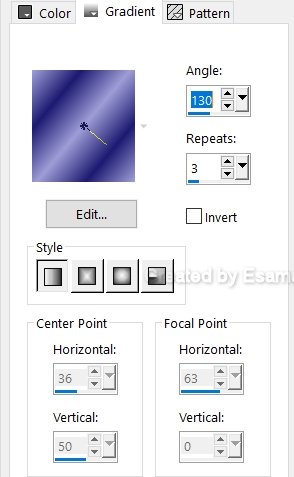
This Lesson is my own creation.This lesson may not be forwarded. Shared or otherwise placed on any Web Site without my written permission . This Lesson was created in Corel Psp 2020 Program, but also can made in the other Versions. Blue Frame 8222135a.pspimage 8222135.jpg image button.png mat.jpg bkgframe.jpg wmark.png Plugins Mehdi-Weawer Plugins Mehdi-Weawer I.C NET Software-Filters Unlimited Paper -Texture-Canvas Fine Van DerLee-Unpluged-Defocus X -Defocus Set your colours: Foreground : #9e9dd7 Background :#1d1a71 Change Foreground to Gradient
Open images , duplicate and minimize, close the originals Step 01 Maximize the 8222135.jpg.image Layers-Promote to Layer Step 02 Effects- Image Effects- Seamless .Tiling -Default
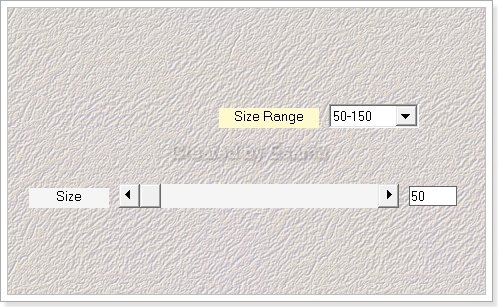
Step 03 Effects-Plugins- Mehdi-Weaver
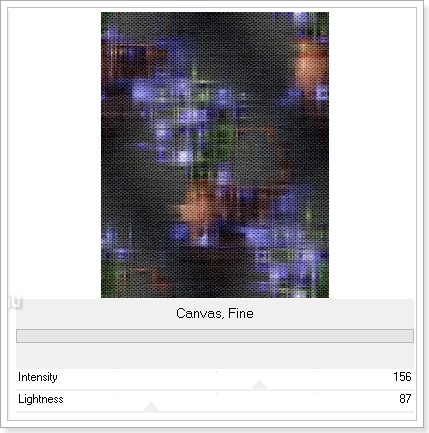
Step 04 Effects...Plugins I.C NET Software-Filters Unlimited Paper -Texture-Canvas Fine
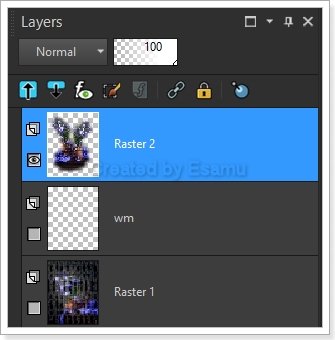
Step 05 Maximize the 8222135a.pspimage Close the watermark
Edit- Copy-Edit -Paste As New Layer Adjust-Sharpness-Sharpen Layers-Merge All (Flatten) Step 06 Image -Add Borders
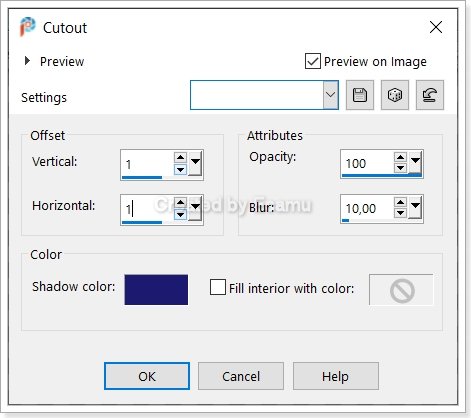
Add Borders...2 ...Symmetric ... Foreground #9de9dd7 Add Borders ...2...Symmetric...Background #1f1b72 Add ...Borders ...2Symmetric...Foreground #9de9dd7 Step 07 Selections- Select All...Modify-Contract 6 Effects-3D Effects-Cutout
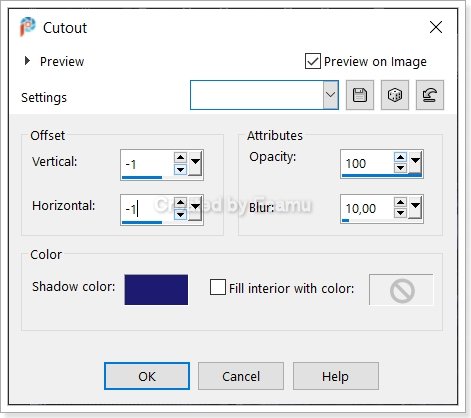
Repeat CutOut
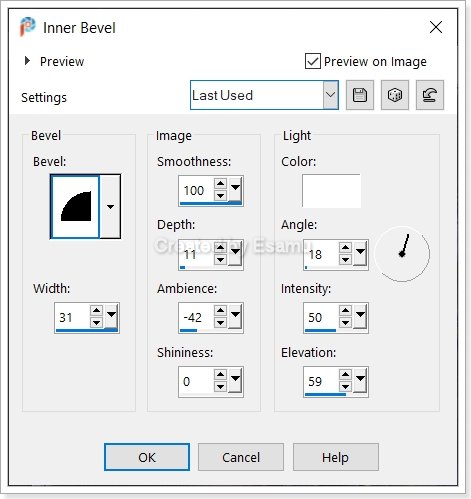
Step 08 Selections-Invert Effects-3D Effects-Inner Bevel
Step 09 Selections-Select None Selections-Select All Image Add Borders Add Borders 6..Pixel White Colour Step 10 Selections-Invert Step 11 Flood Fill Tool - Flood fill with Gradient. Selections-Select None Step 12 Image ..Add Borders Add Borders...2 ...Symmetric ... Background #1d1a71 Add Borders...2Pixel Symmetric ...Foreground #9dedd7 Add Borders ...2...Symmetric ....Background #1d1a71 Step 13 Selections-Select All Selections....Modify-Contract....6 Pixel Step 14 Effects-3D Effects-Cut Out Repeat CutOut Same Settings Step 15 Selections-Invert Effects-3d Effects-Inner Bevel Same Settings Step 16 Selections-Select ALL Image Add Borders Add Borders 25 Pixel White Colour Step 17 Selections-Invert Flood Fill with Gradient Step 18 Plugins I.C NET Software-Filters Unlimited Paper -Texture-Canvas Fine Same Settings Effects-3D Effects- Inner Bevel Same Settings Step 19 Selections-Select None Step 21 Image ..Add Borders Add Borders...2 ...Symmetric ... Background #1d1a71 Add Borders...2Pixel Symmetric ...Foreground #9dedd7 Add Borders ...2...Symmetric ....Background #1d1a71 Step 22 Selections-Select All Selections....Modify-Contract....6 Pixel Step 23 Effects-3D Effects-Cut Out Same Settings Repeat Cut Out ...V-H..-1 |